
Home / Construction Volume Calculators / Sand Calculator
Sand Calculator
Use the Sand Calculator to estimate sand volume from project dimensions and depth; review density and settlement assumptions.
Volume Calculator
Select a 3D shape and enter its measurements.
Enter any two spherical-cap measurements. The calculator derives the third.
Enter both water-level readings using the same volume unit. The difference is the object's displaced volume.
For ft / in, enter values such as 5 ft 6 in. For m / cm, enter values such as 1 m 25 cm. You can also enter a decimal value in the larger unit.
Micrometers, nanometers and angstroms are available for very small-scale measurements.
Enter positive measurements. Results update when you calculate.
Calculate a result to rate this tool.
Multiply the length, width and height using the same measurement unit.
Step-by-step calculation
- Enter your dimensions to see the calculation steps.
Sand quantity formula and measurements
Estimate sand volume from the project measurements or a known area/volume. Choose the matching method, check each input’s units, and review any allowance, density and bag-yield assumptions before ordering.
Base volume = area × depth; order volume = base × (1 + allowance/100)
Required inputs: Rectangle dimensions, known surface area or known volume; optional extra allowance; bag yield and density inputs where shown.
How to use this calculator
- Choose the calculation method that matches the measurements you know.
- Enter rectangle dimensions, known surface area or known volume; optional extra allowance; bag yield and density inputs where shown.
- Choose the units beside each input. Area and known-volume fields have their own units; a thickness in inches must not be treated as feet.
- Select Calculate volume and review any error message, conversions and calculation steps.
- Check the result against the model assumptions below before using it for a project.
Worked example
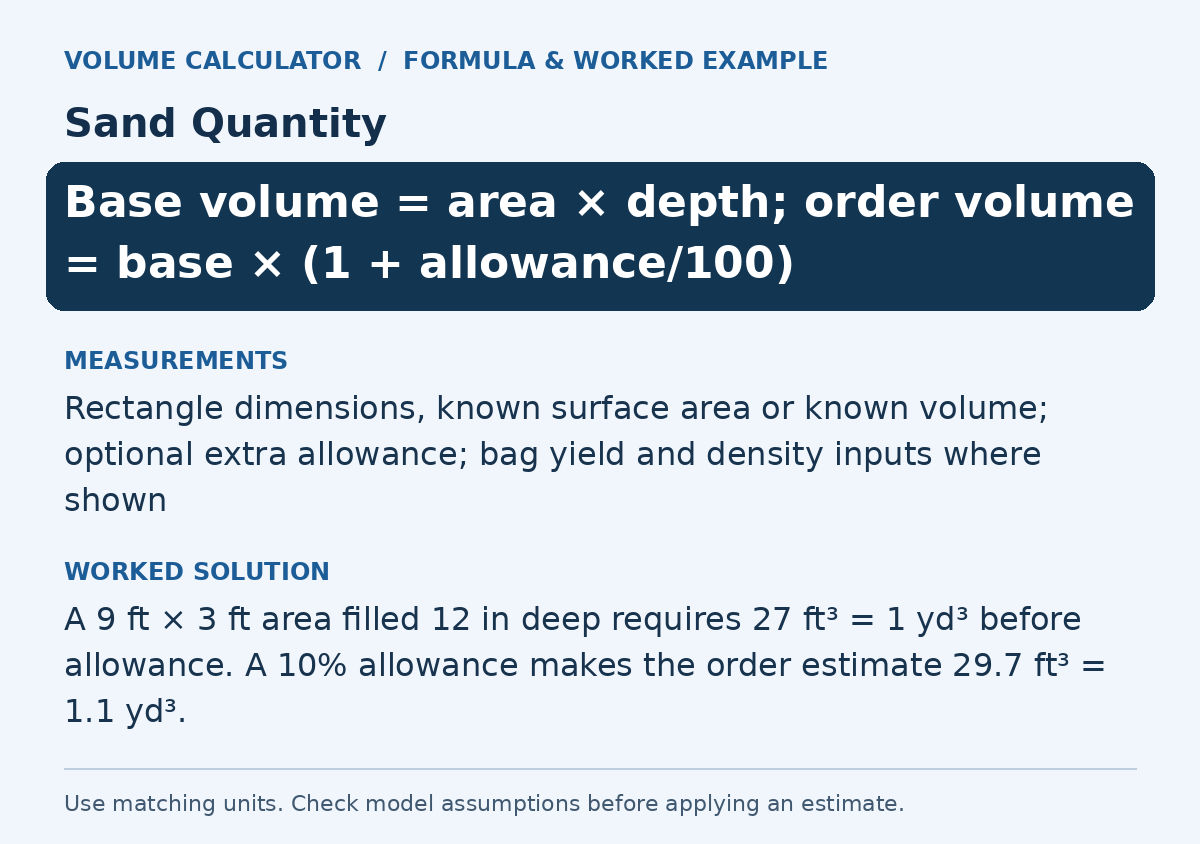
A 9 ft × 3 ft area filled 12 in deep requires 27 ft³ = 1 yd³ before allowance. A 10% allowance makes the order estimate 29.7 ft³ = 1.1 yd³.
Available calculation options
These options match this page’s method controls. Selecting one changes the measurements or geometry used by the tool.
| Available option | Inputs / calculation |
|---|---|
| Length and width | Area = L × W, then multiply by layer depth. |
| Known area | Enter surface area and layer depth using their own units. |
| Known volume | Enter an already calculated volume and its cubic unit. No layer depth is required. |
Assumptions and limits
The method selector offers rectangle, known area and known volume. It does not offer direct circular, triangular or trapezoid footprint modes. Calculate such areas separately and use known-area mode. Choose each field’s unit selector; known volume defaults to cubic yards. Density depends on moisture and supplier material. Weight uses the entered bulk density; it is not a laboratory measurement. Bag count rounds up using the entered yield; check the actual product label.
Units and accuracy
Lengths use linear units, areas use squared units and volumes use cubed units. For example, 1 m³ = 1,000 L; 1 ft³ = 1,728 in³; and 1 yd³ = 27 ft³. US and imperial gallons differ, so use the correctly labeled output. A conversion does not improve measurement accuracy.
Keep unrounded measurements during the calculation and round the final result to suit the measurements. Very small nonzero results may use scientific notation to avoid displaying a misleading zero.
Questions about this tool
Why can my real measurement differ from the answer?
The method selector offers rectangle, known area and known volume. It does not offer direct circular, triangular or trapezoid footprint modes. Calculate such areas separately and use known-area mode. Choose each field’s unit selector; known volume defaults to cubic yards. Density depends on moisture and supplier material. Weight uses the entered bulk density; it is not a laboratory measurement. Bag count rounds up using the entered yield; check the actual product label.
Can I change the input units?
Use the units beside the relevant fields. Check the field labels again after changing method or units.
How do I report an incorrect result?
Use Contact Us and include the page URL, selected method, input values, units and expected result. The contact form opens your email application; do not include sensitive information.
Available calculator controls
Enter each measurement in its own unit and choose a cubic or liquid output unit. For radius-based shapes, the diameter option converts the entered width to radius. The steps and diagram use the main input unit.
Copy the result, print the calculation or copy a calculation link to reopen the same measurements. The advanced panel can solve a supported missing dimension, add or subtract two simple solids, and estimate mass from a density you supply. Combined shapes must satisfy the stated overlap and containment assumptions.
Summary
Use the Sand Calculator to estimate sand volume from project dimensions and depth; review density and settlement assumptions.
- Sand Calculator
- sand volume
- bedding depth
- settlement